

Connect to Kafka
A source is one Kafka cluster and the topics you want to watch from it. Each source has its own column on the Connect tab, and you can run several at once: two clusters, or the same cluster with different topics or start positions.
Akema only reads. It never produces messages, never creates or changes topics, and never commits consumer offsets, so it can’t move a consumer group’s position.
Add a source
Section titled “Add a source”- Open the Connect tab and choose Add Source. A new column appears, marked Draft.
- Under Identity, fill in:
- Name: a short label for the stream bar, such as
prodorstaging. - Bootstrap: one or more brokers as
host:port, separated by commas. - Group ID: optional. See Consumer groups and ACLs.
- Name: a short label for the stream bar, such as
- Set Security to match your cluster. See Choose security settings.
- Under Topics, open Topic(s). Choose Load topics to list the topics you can see and click the ones you want. You can also type a topic name and press Enter. Choose Done.
- Choose Test. A message confirms Test OK, or tells you what failed.
- Choose Start. The column changes to Live, a pill for the source appears in the stream bar, and messages start to arrive in Inspect.
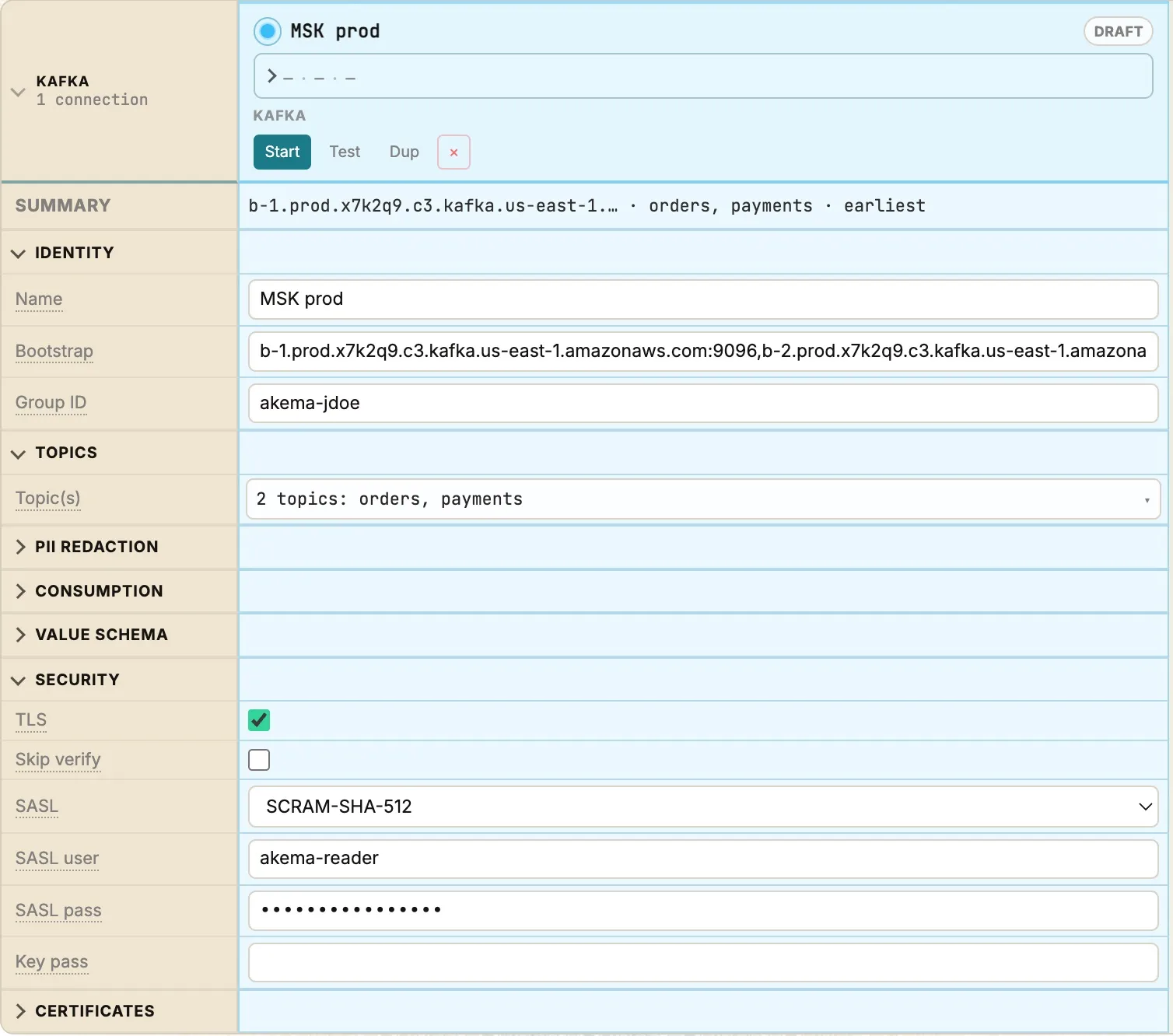
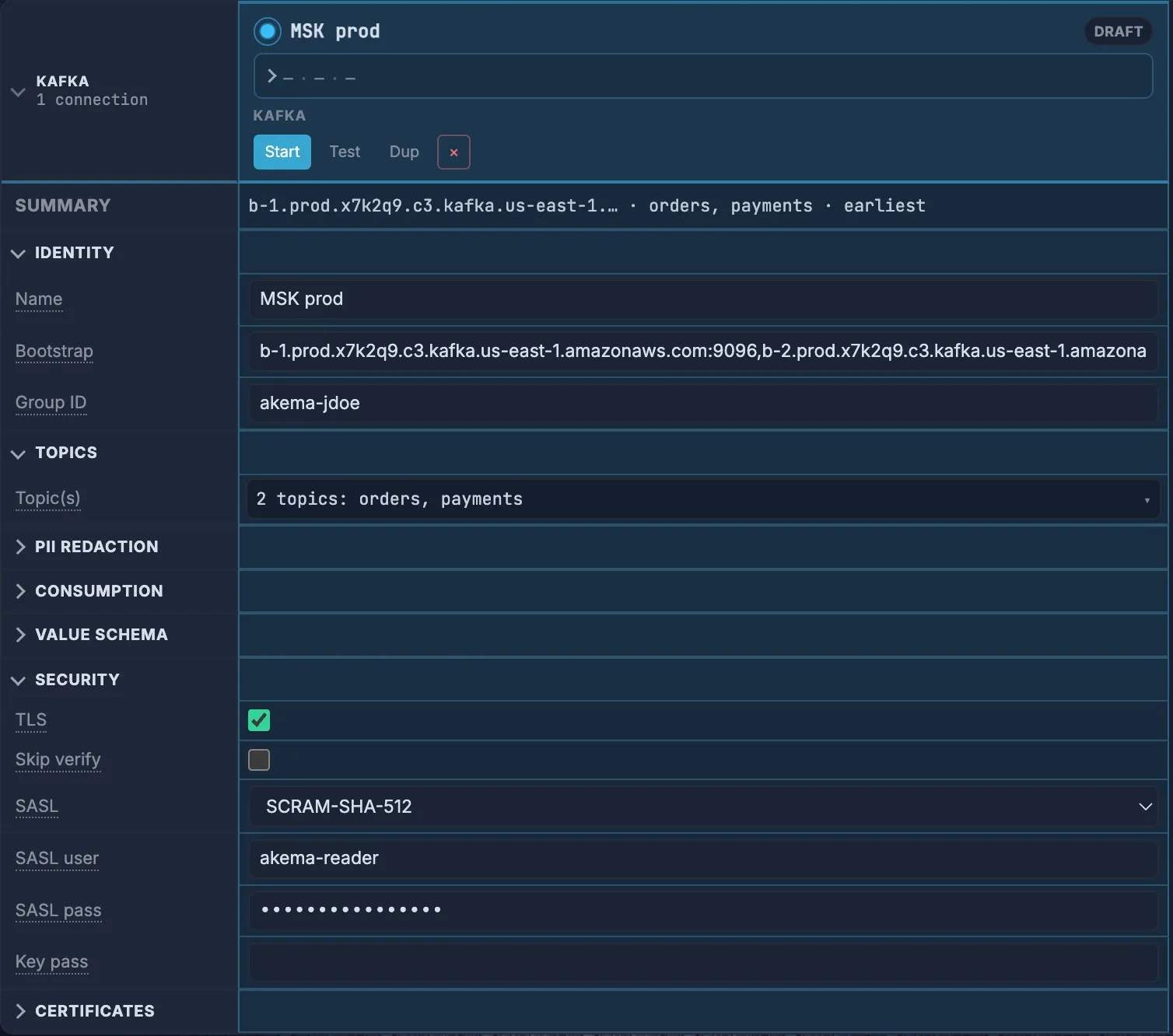
Akema connects to Kafka from the machine it runs on, not from your browser. That machine needs to reach every broker, not only the bootstrap address. See Network access.
Choose security settings
Section titled “Choose security settings”Find how your cluster accepts clients, then set the fields in the Security and Certificates rows.
| Your cluster uses | TLS | SASL | Certificates |
|---|---|---|---|
| No encryption or login (local and lab clusters) | Off | None | None |
| TLS, with a certificate from a public authority | On | None | None |
| TLS, with a certificate from your own CA | On | None | CA PEM |
| Mutual TLS (client certificates) | On | None | Client cert and Client key, plus CA PEM for a private CA |
| SASL/SCRAM over TLS | On | SCRAM-SHA-256 or SCRAM-SHA-512 | CA PEM only for a private CA |
| SASL/PLAIN over TLS | On | PLAIN | CA PEM only for a private CA |
- SASL user and SASL pass are the username and password for SASL.
- Key pass is the passphrase for an encrypted client key. Leave it blank if the key isn’t encrypted.
- To add a certificate, choose the ✎ in its row, then paste the PEM text or choose Upload file.
- When the broker’s certificate comes from a public authority, as on MSK, Confluent Cloud and Event Hubs, leave CA PEM empty. Akema trusts the operating system’s certificate store.
- SASL with TLS off sends the password unencrypted. Only use it on a network you trust.
Akema supports SASL PLAIN, SCRAM-SHA-256 and SCRAM-SHA-512. It doesn’t support OAUTHBEARER, Kerberos (GSSAPI) or AWS IAM authentication.
Amazon MSK
Section titled “Amazon MSK”MSK uses a different port for each way of signing in. Check the cluster’s View client information page in the AWS console for the bootstrap addresses.
| Sign-in | Port (private / public access) | Akema settings |
|---|---|---|
| SASL/SCRAM | 9096 / 9196 | TLS on, SASL SCRAM-SHA-512, user and password from the cluster’s Secrets Manager secret |
| Mutual TLS | 9094 / 9194 | TLS on, Client cert and Client key issued by the cluster’s AWS Private CA |
| TLS, no sign-in | 9094 / 9194 | TLS on |
| Plaintext | 9092 | All off |
| IAM | 9098 / 9198 | Not supported |
MSK broker certificates come from Amazon’s public authority, so leave CA PEM empty.
MSK Serverless accepts only IAM sign-in, so Akema can’t connect to it.
MSK brokers live in a VPC. Run Akema on a machine that can reach them, such as a host in the VPC or a laptop on a VPN into it. Turn on public access only if your security team allows it.
Confluent Cloud
Section titled “Confluent Cloud”- In Confluent Cloud, open the cluster’s Cluster settings and copy the Bootstrap server, such as
pkc-xxxxx.us-east-1.aws.confluent.cloud:9092. - Create an API key for the cluster, with read access to the topics you want.
- In Akema, set TLS on, SASL to
PLAIN, SASL user to the API key and SASL pass to the API secret.
If your topics use Avro or Protobuf with Confluent’s Schema Registry, also fill in Value schema:
- Registry URL: the Schema Registry endpoint, such as
https://psrc-xxxxx.us-east-2.aws.confluent.cloud. - Registry user and Registry pass: a Schema Registry API key and secret. These are separate from the cluster’s key.
Azure Event Hubs
Section titled “Azure Event Hubs”Event Hubs speaks the Kafka protocol on the Standard, Premium and Dedicated tiers. The Basic tier doesn’t support Kafka.
| Field | Value |
|---|---|
| Bootstrap | NAMESPACE.servicebus.windows.net:9093 |
| TLS | On |
| SASL | PLAIN |
| SASL user | $ConnectionString, exactly as written |
| SASL pass | A connection string for the namespace, starting Endpoint=sb:// |
| Topic(s) | The event hub names |
Copy the connection string from a shared access policy with the Listen claim, under Shared access policies on the namespace. Akema only needs to read, so it doesn’t need Send or Manage.
Consumer groups and ACLs
Section titled “Consumer groups and ACLs”Akema reads the partitions it’s given and never commits offsets, so its consumer group never holds a position or affects your applications. It also doesn’t use the group’s committed offsets to decide where to start. Use Consumption for that (see Choose where to start reading).
If you leave Group ID empty, Akema picks a unique name starting with akema-. The short reads it makes to check offsets and times use akema- groups too. If your cluster restricts groups with ACLs, one prefixed ACL on akema- covers all of them. Otherwise, set a Group ID that the ACLs allow. Two running sources never share a group: if a Group ID is already in use, Akema adds a suffix, so a prefixed ACL is still the easiest to manage.
With ACLs, the user Akema signs in as needs:
- Describe and Read on each topic you want to watch
- Read on the group, if your cluster restricts consumer groups
Akema needs no write, create, alter or delete permissions.
Network access
Section titled “Network access”The machine running Akema needs to reach the bootstrap address and every broker. After the first connection, Kafka tells clients to use each broker’s advertised address, and Akema connects to those.
If Test succeeds but messages never arrive, the advertised addresses usually don’t resolve or aren’t reachable from Akema’s machine. This often happens through SSH tunnels, port forwards, or with Docker. Fix the network path or the brokers’ advertised.listeners.
Choose where to start reading
Section titled “Choose where to start reading”The Consumption rows control what Akema reads.
| Setting | What it does |
|---|---|
| Start mode | Earliest reads from the start of each partition, Latest (tail) shows only new messages, Last N reads about the last N messages across partitions (set End − N), Custom offset starts every partition at Start offset, and Timestamp starts at the first message at or after Start time (ms), given in Unix milliseconds. |
| Stop time (ms) | With Timestamp, stops at this time, so you read a fixed window. |
| Partitions | Read only some partitions. Leave empty for all. |
| Max read | Stop after this many messages. Empty or 0 means no limit. |
| Stop offset | Stop when a partition reaches this offset. |
| Sample every | Keep 1 message in N. Akema still reads every message from Kafka, but only keeps the sample. |
| Max buffer | How many of this source’s messages Akema keeps. When it’s full, the oldest are dropped. |
In the Topic(s) picker, Topic size shows how many messages each partition holds without reading any. Bins splits each partition into equal ranges. Click a bin to read just that range.
Decode Avro and Protobuf
Section titled “Decode Avro and Protobuf”Akema shows JSON and text values as they are. For Avro or Protobuf, open Value schema:
- Format: Auto decodes JSON and text, and uses a schema when one is set up. Choose Avro or Protobuf to force one, or Bytes to skip decoding.
- Wire: Confluent for messages written with Confluent’s serializers (a magic byte and schema ID before the payload), Raw for plain Avro or Protobuf bytes. Auto detects it.
- Registry URL, Registry user, Registry pass: a Confluent-compatible Schema Registry. Akema fetches each message’s schema by its ID.
- Subject and Use latest: for messages without a schema ID, use the latest version of this subject.
- Upload schema: an
.avscor.protofile, for when there’s no registry or as a fallback when it can’t be reached.
Akema decodes the value to JSON, so traps, Inspect and Explore work the same as for JSON topics. If a message can’t be decoded, it’s shown with an error and the rest of the stream continues.
Change, stop and remove a source
Section titled “Change, stop and remove a source”- Change a live source by editing its column. Saving reconnects the source and clears its rows from Inspect, so Akema asks you to confirm first.
- Stop, re-read or remove a source from its pill in the stream bar, or from the buttons at the top of its column.
- Dup copies a column, which is the quick way to watch the same cluster with different topics or a different start position.
- Start all drafts starts every draft column at once.
Sources are saved with the workspace, including passwords, keys and certificates. Akema keeps those secrets in the data folder, readable only by your user, and never in the browser. Messages themselves are never saved: when Akema restarts, it reads them again from Kafka.
Troubleshooting
Section titled “Troubleshooting”| What you see | Why | What to do |
|---|---|---|
broker unreachable (… connection refused) or a timeout |
Akema’s machine can’t reach the bootstrap address | Check the host and port, and any firewall, VPN or security group |
metadata fetch failed … Local: Broker transport failure |
The connection opened but the security settings don’t match the port, for example TLS on a plaintext port, or SASL on a port without it | Check the port against the cluster’s listeners and set TLS and SASL to match |
| An error mentioning authentication or SASL | Wrong username, password, API key or mechanism | Check the credentials. MSK uses SCRAM-SHA-512, while Confluent Cloud and Event Hubs use PLAIN |
| An error mentioning certificate verification | The broker’s certificate isn’t trusted | Paste the cluster’s CA under CA PEM |
Topic authorization failed |
The user can’t describe or read the topic | Grant Describe and Read on the topic |
Unknown topic or partition, or the topic isn’t found |
The topic name is wrong, or it doesn’t exist on this cluster | Choose Load topics to see the exact names |
| Test OK, but no messages arrive | Brokers’ advertised addresses aren’t reachable from Akema’s machine, or the start position is past the last message | See Network access, and try Start mode Earliest |
| Kafka stops working but files still load | The trial ended, or the license is for another machine | See Trial and license |