

Traps and CEL
A trap is a rule that Akema checks against every message as it arrives. Messages that match are tagged in the color you choose and counted, so a failed payment or a malformed event stands out in a stream of thousands.
Each trap is a CEL expression: a short, safe formula that returns true or false, such as:
value_json.status == "payment_failed" && value_json.total_usd > 1000You can build simple traps without writing CEL, and switch to CEL when you need more.
How traps work
Section titled “How traps work”- Traps check new messages. A trap sees messages that arrive after you save it. To check messages Akema has already read, re-read the source with ↻ on its pill in the stream bar.
- Every trap sees every source. To limit a trap to one topic or cluster, add a condition on
topicorsource_label. - Traps see decoded values. Avro and Protobuf values are decoded to JSON first, so you write the same expressions for every format.
- Traps see pseudonymized values. If a topic has a PII redaction profile, traps run after it. A trap on a redacted field matches the substitute, not the original.
- Traps are saved with the workspace, along with their colors and settings. Hit counts are not saved.
Create a trap
Section titled “Create a trap”There are three ways to start.
From a field
Section titled “From a field”In Inspect, select a message. In the Record pane, choose Trap on any field. A small dialog opens with the field already filled in. Pick an operator, check the value, and choose Create trap.
This is the quickest way to trap “messages like this one”.
With the Visual builder
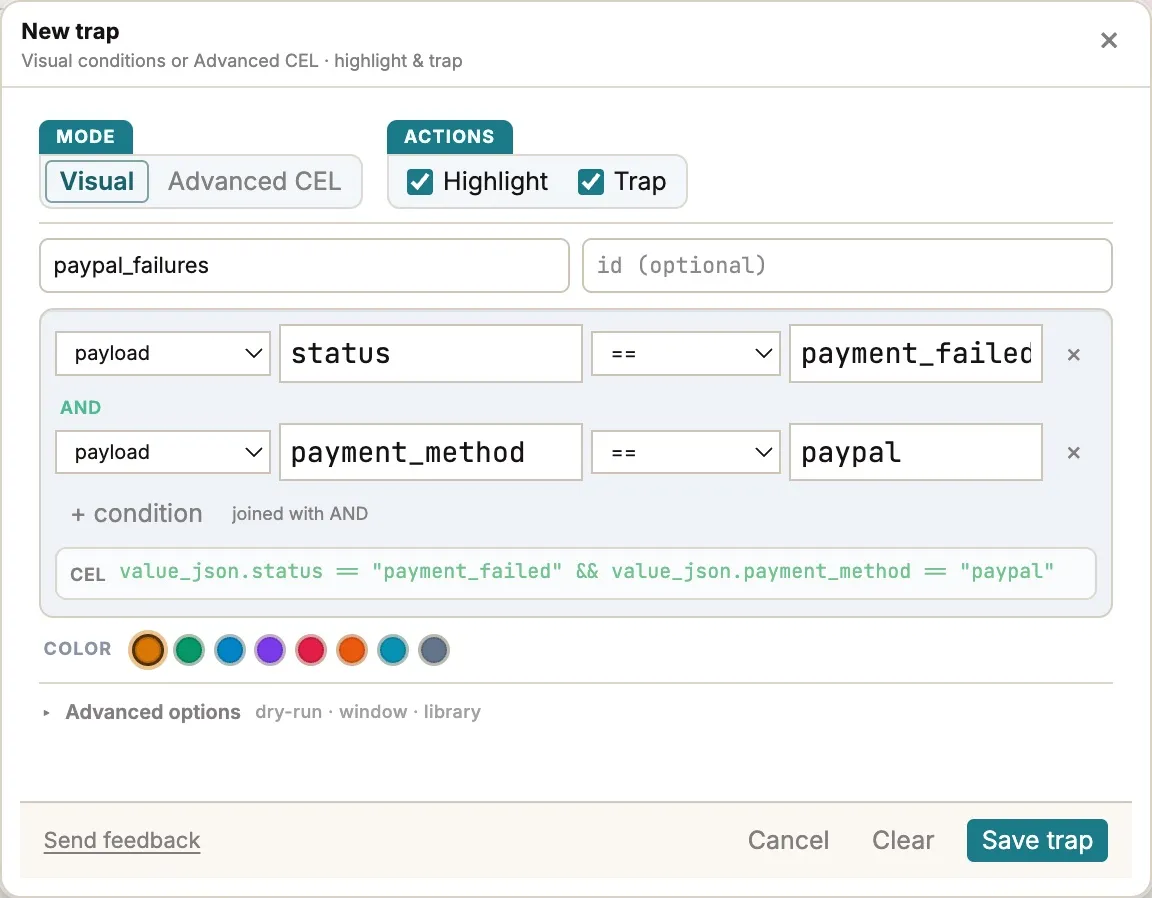
Section titled “With the Visual builder”In the Traps panel, choose + New. In Visual mode, each row is one condition:
- Choose what to test: payload (a field in the JSON value), key, value (the whole value as text), header or partition.
- For payload, type the field path, such as
statusorcustomer.country. For header, type the header name. - Choose an operator:
==,!=,>,≥,<,≤,containsorexists. - Type the value to compare with.
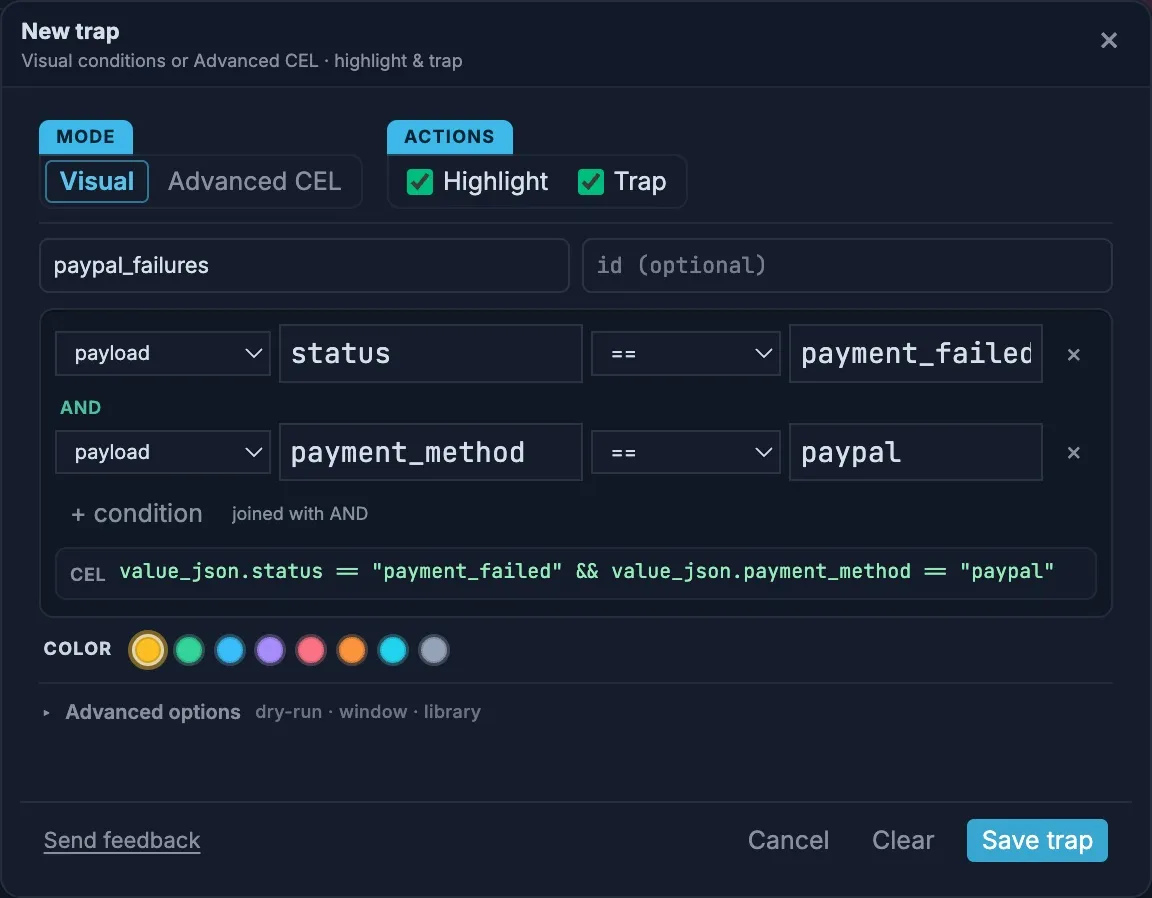
Add more rows with + condition. All conditions must match (they’re joined with AND). The CEL line shows the expression the builder writes, which is a good way to learn the syntax.
With Advanced CEL
Section titled “With Advanced CEL”Choose Advanced CEL to write the expression yourself. Use it for anything the builder can’t express, such as OR, lists, regular expressions or times. If the expression has a mistake, Save trap shows the error and where it is.
Name, actions and color
Section titled “Name, actions and color”Give the trap a short name: it labels tagged rows and the Trap Flow chart. Then choose what a match does:
- Highlight colors the row in the table.
- Trap tags the message, counts it, and adds it to Trap Flow.
Both are on by default. Choose a color and select Save trap.
Work with traps
Section titled “Work with traps”Each trap in the Traps panel shows its expression, how many messages it has matched, and the recent match rate.
- Click a trap to show only its matches in the table. Choose Clear filter to see everything again.
- Edit, disable or delete a trap with the buttons on its card. A disabled trap keeps its settings but stops checking messages.
- Traps only keeps only matching messages from now on. It’s useful for watching a busy topic for rare events. Non-matching messages are dropped from the table, and turning it off doesn’t bring them back. Re-read the source to see them again.
- Trap Flow, under the table, shows how the stream splits between your traps, and how many messages match one trap or several. Switch between Count and Rate. JSON downloads each trap’s counters and recent matches, and CSV the counters. Clear all resets every trap’s counters.
- Explore trap, on a trap in Trap Flow, opens Explore filtered to that trap’s matches.
Under Advanced options in the trap editor:
- Dry-run checks and counts every trap without highlighting or tagging messages, for tuning an expression on a busy stream. It applies to all traps until you turn it off.
- Window sets how many recent matches a trap keeps and the number of seconds its rate is measured over.
- Examples adds a few sample traps, and Export and Import save and load all traps as a JSON file, for sharing them with your team.
CEL reference
Section titled “CEL reference”Variables
Section titled “Variables”| Variable | Type | What it holds |
|---|---|---|
value_json |
JSON | The value parsed as JSON: objects, lists, strings, numbers, true, false and null. It’s null when the value isn’t JSON. |
value |
string | The value as text. For Avro and Protobuf, the decoded JSON text. |
key |
string | The message key as text. (null) when the message has no key, and (binary) when the key isn’t text. |
headers |
map of strings | Message headers, by name. |
topic |
string | The topic name. |
partition |
int | The partition number. |
offset |
int | The offset in the partition. |
timestamp |
timestamp | The message time. |
source_label |
string | The Name of the source the message came from. |
source_id |
string | The internal ID of that source. |
Operators and functions
Section titled “Operators and functions”| Use | Example |
|---|---|
| Compare | == != < <= > >= |
| Combine | && (and), || (or), ! (not), cond ? a : b |
| Text | s.contains("x"), s.startsWith("x"), s.endsWith("x"), size(s) |
| Regular expressions (RE2 syntax) | s.matches("^ORD-[0-9]+$"), or (?i) for any case: s.matches("(?i)error") |
| Lists | x in list, size(list), list[0] |
| Check every item | list.exists(i, cond), list.all(i, cond), list.exists_one(i, cond) |
| Reshape a list | list.filter(i, cond), list.map(i, expr) |
| Field present | has(value_json.field), "name" in headers |
| Convert | int(x), double(x), string(x) |
| Time | timestamp("2026-10-20T14:00:00Z"), duration("1h"), t.getHours(), t.getHours("Europe/Amsterdam"), t.getDayOfWeek() (0 is Sunday) |
Akema uses standard CEL. CEL’s optional extensions aren’t available: there’s no lowerAscii(), split(), replace() or .? optional syntax. For text in any case, use matches with (?i).
Writing traps on JSON
Section titled “Writing traps on JSON”A few CEL rules surprise people the first time. All of these were checked against Akema’s trap engine.
A missing field means no match
Section titled “A missing field means no match”If a message doesn’t have the field a trap reads, the trap doesn’t match that message. It isn’t an error you need to handle; the trap just skips the message. This keeps one trap working across topics with different shapes.
To match on whether a field is there, use has():
has(value_json.coupon)has() checks the last field only. For has(value_json.customer.tier), customer must exist, so check each level if you need to:
has(value_json.customer) && has(value_json.customer.tier)In a || b, a missing field on one side doesn’t stop the other side from matching.
Numbers are decimals
Section titled “Numbers are decimals”JSON numbers become decimal (double) values, but you can compare them with whole numbers directly: value_json.total_usd > 1000 and value_json.items == 2 both work.
Two exceptions:
- Arithmetic on JSON numbers needs a decimal literal: write
value_json.items + 1.0 == 3.0, not+ 1. - After
double(), compare with a decimal too:double(value_json.amount) > 1000.0.
Very large integers, past about 9 quadrillion (2⁵³), lose precision as decimals, so two IDs that differ in the last digit can look equal. Match long numeric IDs as text, for example with value.contains("\"id\":9007199254740993"), or put them in the key.
Numbers stored as text
Section titled “Numbers stored as text”If a producer writes "amount": "1250", with quotes, the value is text, and value_json.amount > 1000 never matches. Convert it:
double(value_json.amount) > 1000.0Text comparisons are exact
Section titled “Text comparisons are exact”== is case-sensitive: "Payment_Failed" doesn’t equal "payment_failed". Use matches with (?i) to ignore case.
Unusual field names
Section titled “Unusual field names”For a field name with dashes, spaces or dots, use brackets:
value_json["shipping-method"] == "express"Values that aren’t JSON
Section titled “Values that aren’t JSON”For plain-text values, such as log lines, value_json is null. Match the text with value:
value.matches("(?i)timeout|refused")Recipes
Section titled “Recipes”Copy these and change the field names to match your data.
Status and errors
value_json.status in ["payment_failed", "refunded"]value_json.level == "error" || value.contains("Exception")has(value_json.error)Thresholds and ranges
value_json.total_usd >= 1000 && value_json.total_usd < 5000value_json.latency_ms > 500 && topic == "api-requests"Missing or empty data
!has(value_json.customer_id)has(value_json.email) && value_json.email == ""value_json.coupon == nullkey == "(null)"Lists inside the message
"promo" in value_json.tagsvalue_json.lines.exists(l, l.qty > 2)value_json.lines.all(l, l.price > 0.0)size(value_json.lines) > 50Text patterns
value_json.order_id.matches("^ORD-[0-9]{6}$")!value_json.email.matches("^[^@]+@[^@]+$")value_json.email.endsWith("@example.com")Headers
headers["source"] == "checkout"!("trace_id" in headers)Topics, sources and partitions
topic == "orders" && source_label == "prod"partition == 3 && offset > 120000key.startsWith("TEST")Time
timestamp > timestamp("2026-10-20T14:00:00Z")timestamp.getHours() >= 22 || timestamp.getHours() < 6timestamp.getDayOfWeek() == 0 || timestamp.getDayOfWeek() == 6getHours() and getDayOfWeek() use UTC. Pass a time zone, such as getHours("America/New_York"), for local time.
Troubleshooting
Section titled “Troubleshooting”| What you see | Why | What to do |
|---|---|---|
| A trap has no hits, but matching messages are in the table | Traps only check messages that arrive after they’re saved | Re-read the source with ↻ |
| A trap never matches | A field name or path is wrong, so the field is “missing” | Select a message and copy the path from the Record pane, or create the trap from the field |
| A trap never matches a number | The number is stored as text in the JSON | Use double(value_json.field) > 1000.0 |
| A trap never matches text | Case differs, or there’s extra whitespace | Use matches("(?i)…"), or contains |
| A trap saves but never matches anything | The expression doesn’t return true or false, for example value_json.total_usd on its own |
Add a comparison |
found no matching overload when saving |
A typed value is compared with a different type, such as double(x) > 1000 |
Use a decimal literal: 1000.0 |
undeclared reference to 'lowerAscii' |
That function is a CEL extension, which Akema doesn’t include | Use matches("(?i)…") |
| Matches seem to disappear from the table | Traps only is on, or the table is filtered to one trap | Turn off Traps only, or choose Clear filter |
| A trap on a personal field never matches the real value | A PII redaction profile replaces that field before traps run | Trap on the pseudonymized value, or on a field that isn’t redacted |