

PII redaction
A redaction profile rewrites the fields you choose on a topic as each message arrives, so emails, names and account numbers never reach the table, your traps or Explore. Akema keeps only the substitute.
Substitutes are consistent: the same email always becomes the same token. You can still count, group and join on a redacted field, and spot that one customer is behind fifty failed payments, without seeing who they are.
Where redaction happens
Section titled “Where redaction happens”Akema redacts each message after decoding it from Avro or Protobuf, and before anything else sees it:
Kafka → decode → redact → traps → Inspect, Explore and exports
So when a profile is on:
- The table, the Record pane, traps, Trap Flow, Explore and every export only hold the substitute.
- Traps match the substitute. A trap on a redacted email sees the token, not the address.
- The message’s time, partition, offset and size stay exact.
Redaction applies to Kafka sources. CSV, JSON and Parquet files loaded as fixtures are not redacted. If you’ll share a fixture, redact it before you load it.
Set up a profile
Section titled “Set up a profile”Each topic has at most one profile, and it applies to every source that reads that topic.
- Open Connect. In the column for your Kafka source, select the topics, then choose Edit profile in the PII redaction row.
- Akema reads a few recent messages from the topic and lists the fields it finds, each with a suggested technique: Email shape for email fields, Phone shape for phone numbers, Null for free text such as
commentornote, Truncate time for timestamps, and Stable token for most others. Fields with names likeemail,ssn,addressorcardare listed first. - Check each field you want to redact, and change its technique if you need to. Nothing is redacted until you check it.
- To add a field that wasn’t in the sample, choose Payload, Header or Key under Add path, type the path and choose Add.
- Turn on Enabled and choose Save.
If the source has more than one topic, switch between them with the pills at the top of the dialog.
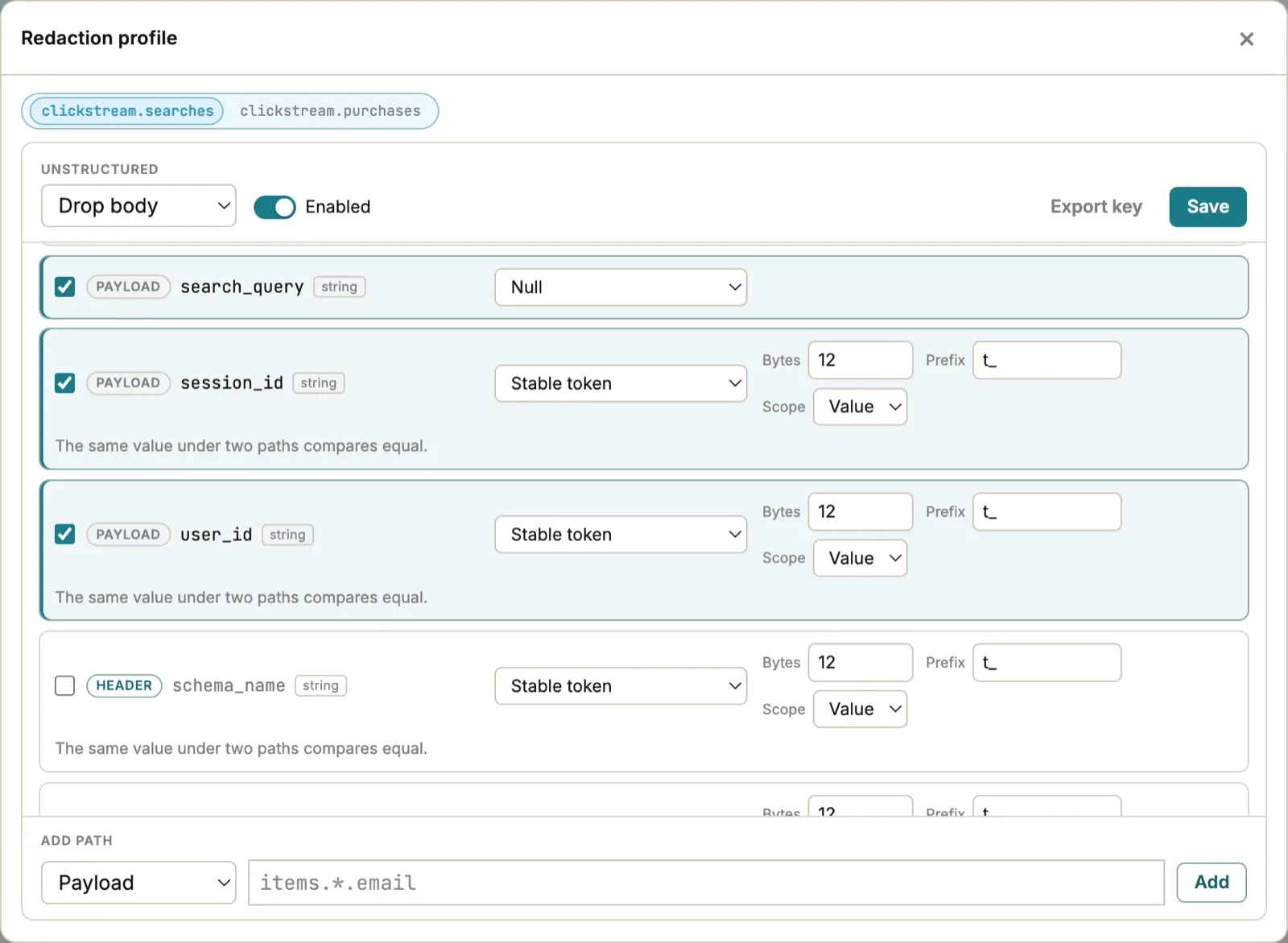
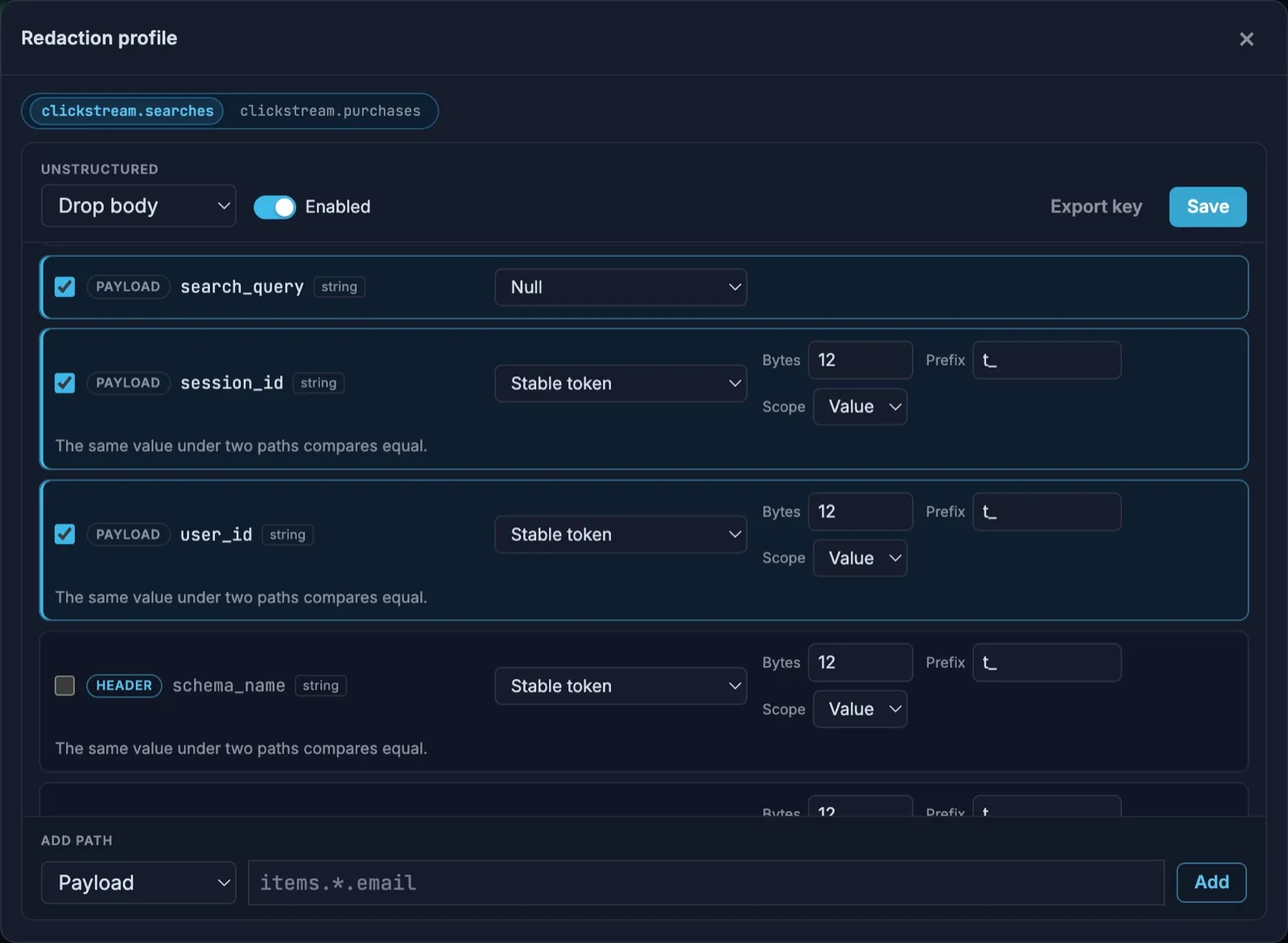
When you save, Akema clears the messages it has already read from that topic, so no original values remain on screen or in memory, and redacts everything it reads from then on. Re-read the source to fill the table again with redacted messages.
Payload paths use dots between levels and * for every item in a list:
| Path | Redacts |
|---|---|
email |
A top-level field |
customer.email |
A nested field |
items.*.email |
email in every item of the items list |
items.0.email |
email in the first item only |
A path part is a field name, a list index (0, 1, 2, …), or *. A name may include dashes and spaces, so shipping-method and full name are paths. A name that contains a dot, a quote, or a backslash is written in brackets, the same way as in a trap:
| Path | Redacts |
|---|---|
["shipping.method"] |
A field whose name is shipping.method |
customer["shipping.method"] |
That field under customer |
items.*["full name"] |
full name in every item of items |
Inside the brackets, write \" for a quote and \\ for a backslash. customer."shipping.method" is the same field as customer["shipping.method"]. Flagging a whole list or object replaces all of it; to redact one field inside a list, use *.
For Header, the path is the header name, matched exactly, including case: X-User-Id is not x-user-id. Key redacts the whole message key.
Techniques
Section titled “Techniques”| Technique | Example | Use it for |
|---|---|---|
| Stable token | C01800 → t_3f9a0c2e71b4d58a9c06e1f2 |
IDs, account numbers, names: anything you want to count or join on |
| Email shape | ana.lima@example.com → u_8b21e0c4d7@redacted.invalid |
Email addresses, keeping them recognizable as emails |
| Phone shape | +31 6 1234 5678 → +80264173905 |
Phone numbers: random digits, the same count, and any leading + |
| Partial mask | ana.lima@example.com → a******************m |
Display only. Values with the same first and last characters look alike |
| Null | "Call me after 6" → null |
Free text such as comments, notes and messages |
| Numeric bin | 1250.50 → 1200 (width 100) |
Amounts or ages where a range is enough |
| Truncate time | 2026-10-20T14:37:12Z → 2026-10-20T14:00:00Z |
Times you flag, such as a date of birth or a login time |
Settings for each technique:
- Stable token: Bytes (8 to 16, default 12) sets the token length, and Prefix (default
t_) what it starts with. Scope is Value by default: the same value gets the same token in every field, so you can joinbuyer_idtoseller_id. Choose Field to give the same value different tokens in different fields. - Email shape: the domain becomes
redacted.invalid, or another Domain you set. Keep domain keeps the real domain, which can identify a small company, so use it with care. - Numeric bin: Width is the size of each range and Origin where the ranges start. With width 100 and origin 0, 1250.50 becomes 1200.
- Truncate time: Unit is minute, hour (the default) or day, in UTC. It accepts ISO 8601 text and Unix times in seconds, milliseconds, microseconds or nanoseconds, and keeps the same format.
null values stay null. An empty string is still replaced.
Charting redacted fields
Section titled “Charting redacted fields”Substitutes are built so Explore still works:
- Stable token, Email shape and Phone shape: counts, group-by, joins and distinct counts work on the substitute. A distinct count of tokens equals the distinct count of the original values.
- Null: the field drops out of charts.
- Numeric bin: group by the bins. Don’t add them up: a sum of bins isn’t the sum of the original amounts. For a field you need to sum, such as an order total, use Null or leave it unredacted.
- Truncate time: groups by minute, hour or day.
Explore marks redacted fields with a redacted chip in the field list.
Messages that aren’t JSON
Section titled “Messages that aren’t JSON”A profile with payload fields needs JSON (or Avro or Protobuf, decoded to JSON) to find them. Unstructured decides what happens to a value Akema can’t read as JSON:
- Drop body (the default) removes the value, so nothing unredacted gets through. The Record pane shows body dropped.
- Pass through keeps the value exactly as it arrived, unredacted. Use it only if those messages can’t contain personal data.
Key and header rules still apply either way.
When a field can’t be redacted
Section titled “When a field can’t be redacted”If a value doesn’t suit its technique, such as text in a Numeric bin field, Akema doesn’t let it through. It replaces a payload field with null, removes a header, or clears the key. The Record pane shows redacted, field error on that message.
Turn a profile off
Section titled “Turn a profile off”Clear Enabled and choose Save. Akema clears the topic’s messages again and shows new messages unredacted. Turning a profile off never restores the original values of messages read while it was on; re-read the topic to see them.
The correlation key
Section titled “The correlation key”Each workspace has a secret correlation key, which Akema creates and keeps in the data folder as redact-key.json, readable only by your user. Tokens are calculated from the value and this key, so:
- The same workspace always gives the same token for the same value, including after a restart.
- A different workspace gives different tokens, so tokens from two workspaces can’t be joined.
Export key downloads the key. Share it only when another Akema must produce matching tokens, for example on a teammate’s machine. The key can’t turn a token back into its value, but anyone who has it can check whether a value they already know matches a token. Protect it like a password.
Share and copy profiles
Section titled “Share and copy profiles”| Workspace Duplicate | Workspace Export… | |
|---|---|---|
| Profiles | Copied | Included |
| Correlation key | Copied, so tokens match | Never included |
| Use it to | Make a second workspace on the same machine | Share your setup with someone else |
Someone who imports your export gets the same profiles with their own key, so their tokens differ from yours.
Limits
Section titled “Limits”- One profile per topic, used by every source that reads it.
- Up to 256 fields per profile and 64 profiles per workspace.
- Paths can’t overlap within a profile: flag
customerorcustomer.email, not both. - Messages you pinned or exported before turning a profile on keep their original values.